DreamDocs
1 phút đọc163 từ
Đề bài
Introducing DreamDocs: a platform for browsing docs!
https://dreamhack.io/wargame/challenges/2325
Solution
Ta đọc source code của route /doc/<int:doc_id> thấy có 2 thứ quan trọng:
@app.route('/doc/<int:doc_id>')
def view_document(doc_id):
    referer = request.headers.get('Referer', '')
    user_level = request.headers.get('X-User', 'guest')

    ...

    if document['classification'] == 'confidential':
        if user_level != 'admin':
            return render_template('error.html',
                message="Insufficient privileges. Administrator access required."), 403

    ...

    return render_template('document.html', doc=document, doc_id=doc_id)
Thấy user_level nếu không được gán thì sẽ tự động lấy guest, và ta cần user_level=admin để render được docs chứa flag
Vấn đề là flag_doc_id là 1 số random từ 100 đến 999
Nếu ta bruteforce thì vẫn ra thôi, giờ vấn đề là xem tác giả có để lại manh mối gì không
Thì thấy khi truy cập route /api/docs, ta nhận được các field id, title, classification của doc
for doc_id, doc in documents.items():
    if doc['classification'] == 'public':
        visible_docs.append({'id': doc_id, 'title': doc['title'], 'classification': doc['classification']})
    elif doc['classification'] == 'internal' and user_level != 'guest':
        visible_docs.append({'id': doc_id, 'title': doc['title'], 'classification': doc['classification']})
    elif doc['classification'] == 'confidential' and user_level == 'admin':
        visible_docs.append({'id': doc_id, 'title': doc['title'], 'classification': doc['classification']})
    if len(visible_docs) >= SHOW_COUNT:
        break
Nhận thấy nếu ta có user_level = admin thì đọc được id của flag_doc_id với classification = confidential
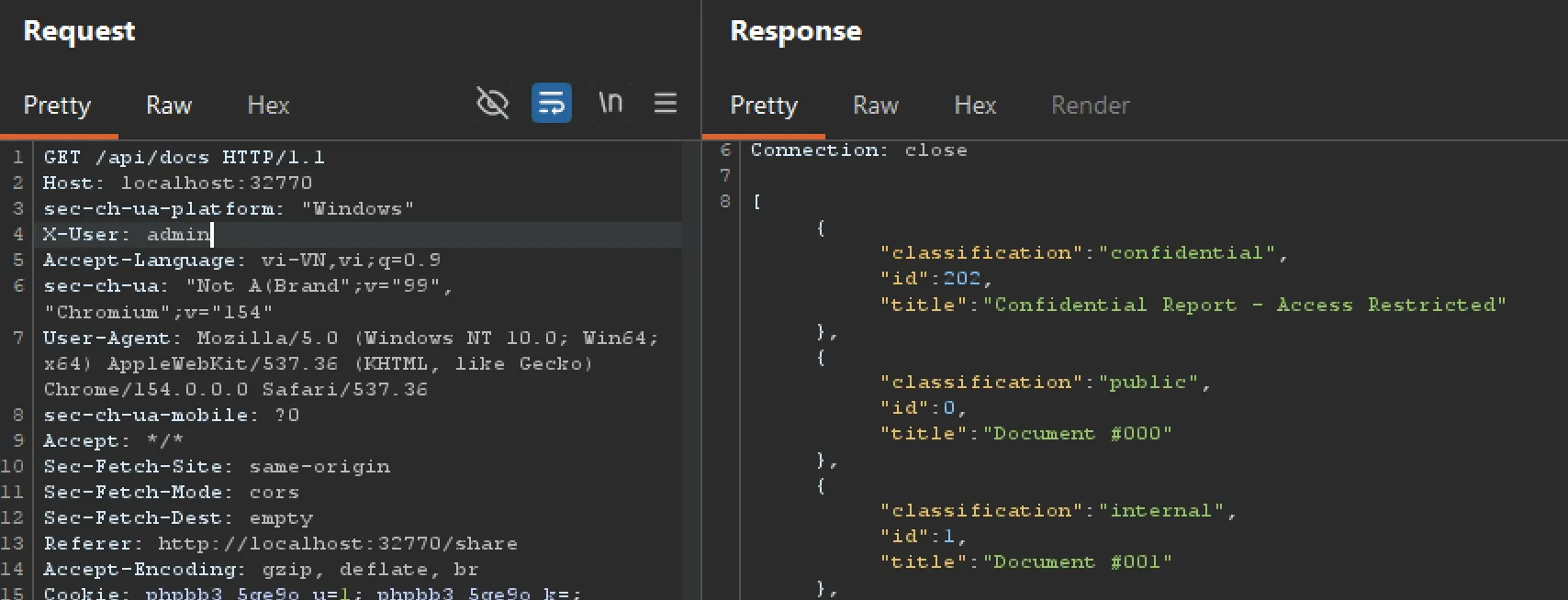
Ở đây lấy được vì author cố tình để data này lên đầu, check xem có quyền
adminđể đọcconfidentialkhông rồi mới chọn hiển thị hoặc không
Bây giờ nhiệm vụ của ta đơn giản chỉ là thêm header X-User: admin rồi truy cập vào route /doc/202
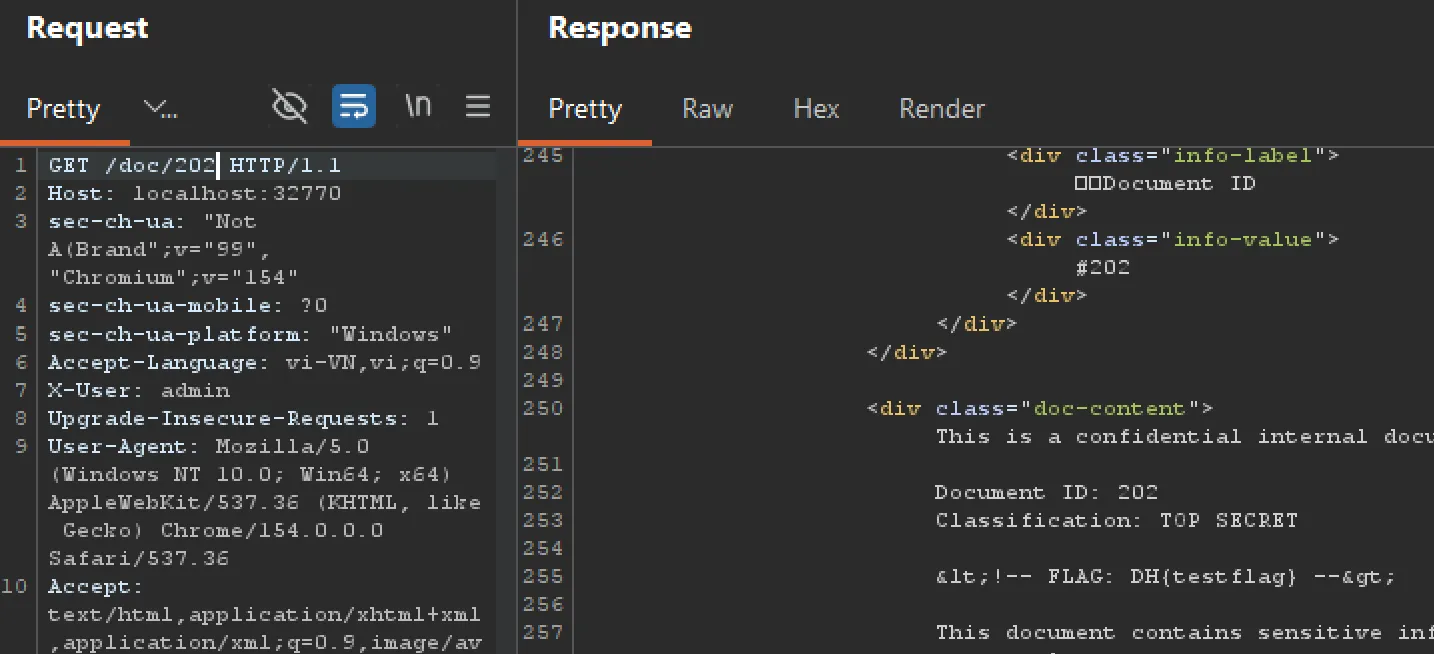
-> Flag:
DH{testflag}